Naval Battles: A New Era of War!
Clear the decks and beat to quarters! Prepare for one of the biggest and most revolutionary new features as War and Peace sets sail!
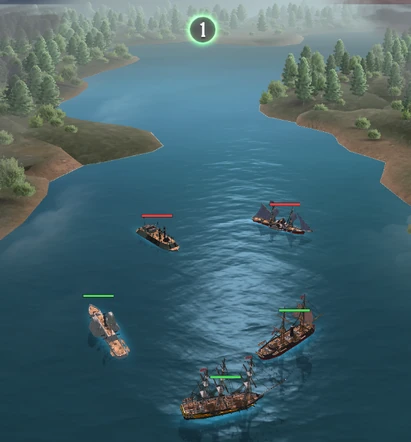
Naval Battles is a massive, permanent PvE (Player vs. Environment) campaign mode that completely breaks the mold of traditional land warfare. Commanders will build, customize, and command a fleet of historic warships, battling through intense combat waves across a sprawling, multi-chapter campaign map!
This is an unprecedented tactical experience. With entirely new progression systems, highly detailed combat, zero-risk troop deployments, and endless replayability, Naval Battles will test your strategic brilliance like never before.
Assemble your fleet, claim your doubloons, and rule the waters!
Charting the Campaign
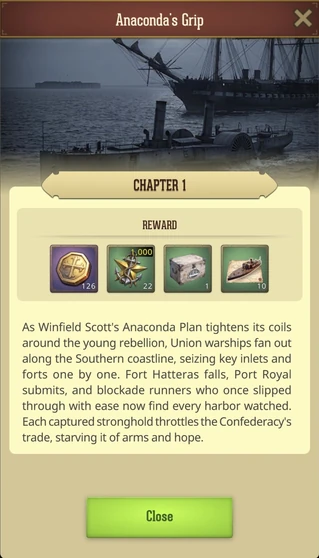
The Naval Campaign offers a sprawling journey divided into distinct Chapters, each dropping your fleet right into the middle of real historical events from the American Civil War. As you push deeper into the conflict, you will battle through multiple progressive Stages, each packed with unique tactical requirements, fierce blockade challenges, and increasingly ruthless enemy fleets.
Opening the Dockyards
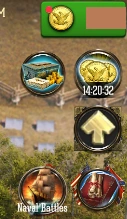
To begin your naval campaign, you must first reach Fort Level 15. Once you have proven your command, tap the brand-new Dockyard icon permanently located in your Town view. Upon taking command of the docks, every Commander is immediately granted a free starter vessel: a fast and agile Steamer, to weigh anchor and kick off their naval domination!
Naval Battles Interface
The Naval Battles interface is split into 3 Main Screens that you can switch between via the buttons on the bottom bar.
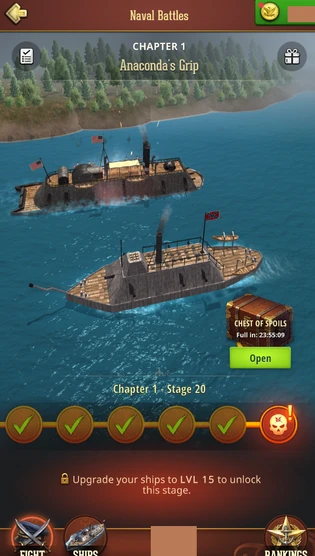
- Fight -This is your main Naval Battles screen where you track your Campaign progress, launch devastating attacks, collect the treasure from the Chest of Spoils, and access the Stage rewards
- Ships - This is your main Ship hull. Here you can access and upgrade your fleet, unlock Ships via blueprints, and refuel.
- Rankings - Access the rankings to check how you fare among others in the State!
Note: By tapping the back arrow while in any main screen, you will return back to your Town view.
Building And Upgrading Your Fleet
The Fleet Classes
Your success on the water depends on fleet composition. There are 4 distinct classes of warships, each with highly specialized roles, behaviors, and base stats. Additional historical ships within the 4 classes are unlocked by collecting specific Ship Blueprints from Boss battles, high-level rewards, and events. Will you collect them all?
- Steamer (Artillery Flanker): The fastest ships on the water. They use blistering speed to kite enemies and flank from a distance. (Unlocked instantly at Fort Level 15).
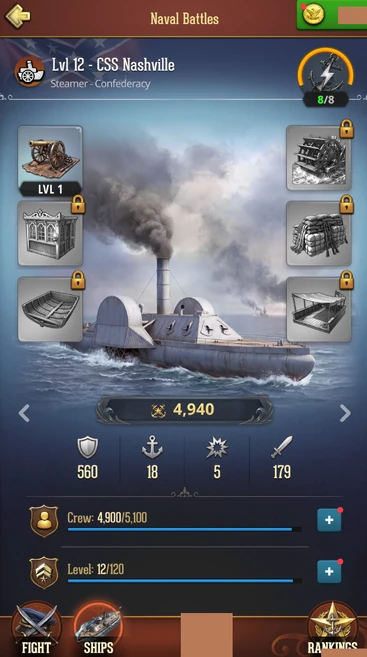
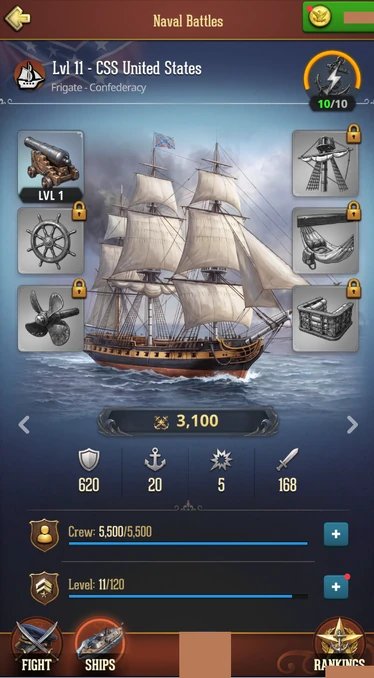
- Frigate (Dual-Target Artillery): The undisputed masters of long-range bombardment. Not only do they boast the longest firing range in the fleet, but their gunners can uniquely target and fire upon two enemy vessels simultaneously!
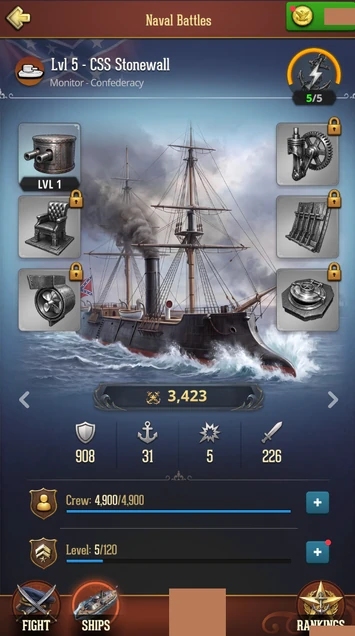
- Monitor (Heavy Brawler): Ruthless iron-hulled brawlers. They advance directly into enemy lines, boasting the highest base Attack power to crush opponents at close range.
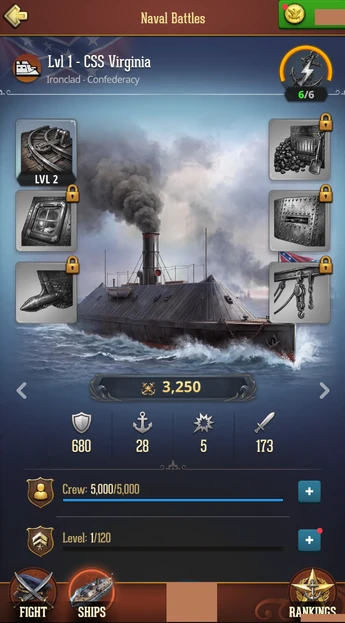
- Ironclad (Ultimate Tank): The ultimate floating fortresses. They possess massive base Hit Points, allowing them to absorb devastating frontline punishment while your artillery goes to work.
Vessel Attributes & Advancement
Ships can be advanced all the way to Level 120 using Ship XP Items. As your vessels complete sea trials and level up, their growth accelerates in tiers, massively boosting their core combat attributes:
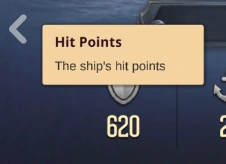
- Hit Points: Dictates how much punishment your hull can take before sinking to the depths.
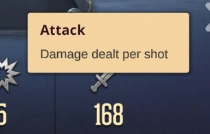
- Attack: Represents your raw firepower and the damage output per volley.
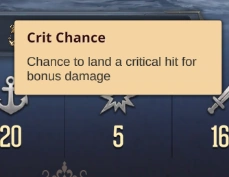
- Crit Chance: The probability of dealing devastating bonus damage with a well-placed cannonball
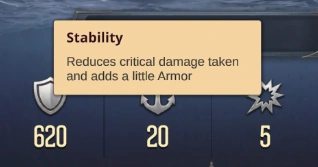
- Stability: A crucial defensive stat that directly reduces the enemy's Critical Hit multiplier.
Outfitting Your Vessels
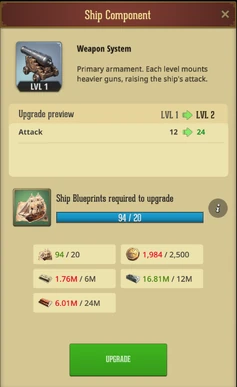
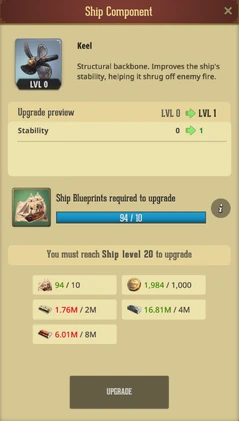
Every ship features 6 Upgradeable Ship Components (Max Level 6 each). Upgrading these components requires Wood, Iron, Greenbacks, the specific ship’s blueprints, and Doubloons: the highly coveted premium naval currency. Reaching Level 6 on a part unlocks massive bonuses!
- Captain’s Chambers: Increases your Commander capacity (slots) and boosts Attack.
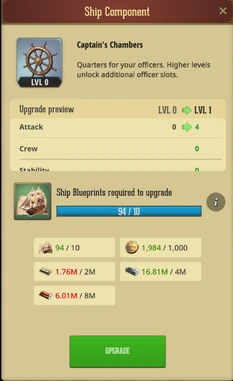
- Hold: Massively increases Durability.
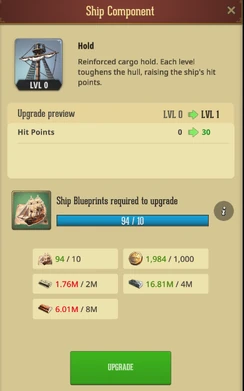
- Drill Hall: Increases Critical Hit Chance.
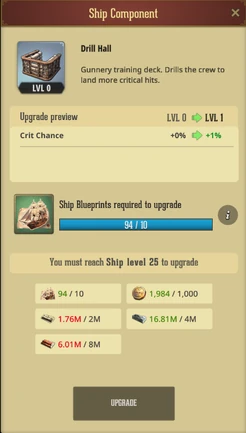
- Marines Quarters: Increases the total Troop Capacity the ship can carry.
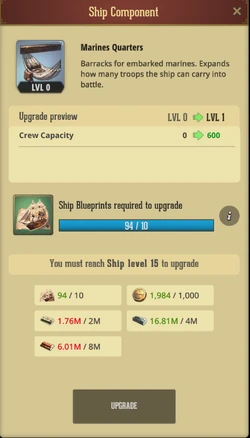
- Weapon System: Supercharges your base Attack damage.
- Keel: Increases Stability, making your ship highly resistant to enemy critical hits.
Ship Loadout
To load out your Crew, visit the Ships screen > Ship of your choice > + icon on the Crew section.
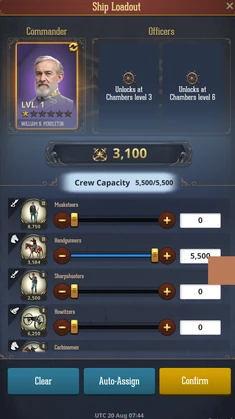
You will be presented with a familiar selection screen similar to land-based combat, where you can add your Commander, Officers, and Troops.
Note: Crew assigned to your Ships can be used simultaneously in land-based warfare. However, a Commander cannot be assigned to two Ships at once!
- Commanders: Each ship has up to 3 Commander slots (1 Captain, 2 Officers). Slots unlock as you upgrade the Captain’s Chambers. Commanders contribute massive power to your fleet, and their existing land-based Troop attack bonuses actively scale over to bolster the troops on board, directly increasing your ship's overall damage output!
- Troops:Load Infantry, Ranged, Cavalry, and Siege troops into your Crew. Aim using higher-tier troops for shattering power!
- Zero Risk: Troops used in Naval Battles represent an assigned contingent. They are never killed, injured, or sent to the Hospital. Likewise, your Fleet’s HP is automatically restored at the end of each battle, regardless of the results. Fight with zero fear!
Deployment And Battle
Fuel
Every vessel requires Fuel to set sail. Fuel acts as your entry fee to the waters. Starting a battle costs 1 Fuel per deployed ship and is consumed immediately upon deployment, regardless of whether you win, lose, or manually retreat.
Each ship restores 1 Fuel after 120 minutes. To refuel a ship immediately, you can visit Ships > Refuel and spend some Gold to refuel all selected Ships. The Gold cost will increase gradually with each Refuel up to a set cap.
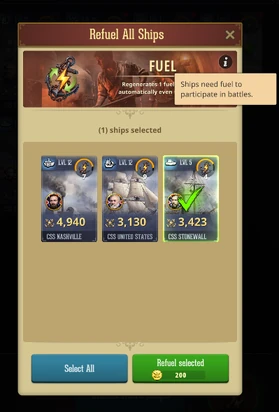
You can also refuel a specific Ship directly from Ship’s screen.
Mustering Your Squadron
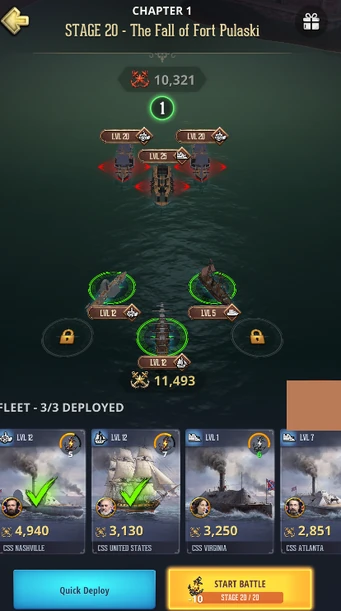
Before weighing anchor, you must prep your fleet on the Pre-Battle Screen. You can deploy up to 5 ships across a tactical grid (2 front-row slots, 3 back-row slots), that unlock as you progress through the campaign.
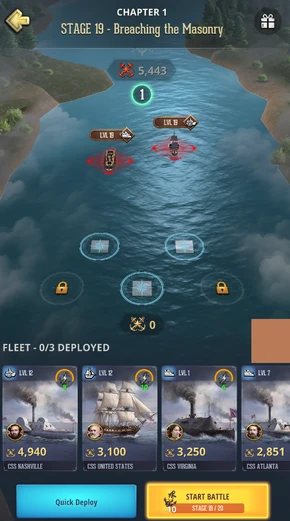
To deploy your fleet, select the Ship you want and then select a space where you’d like to place it. To deselect, simply tap on the deployed ship. Positioning of various Ship classes matters and the strategy can affect the battle outcome.
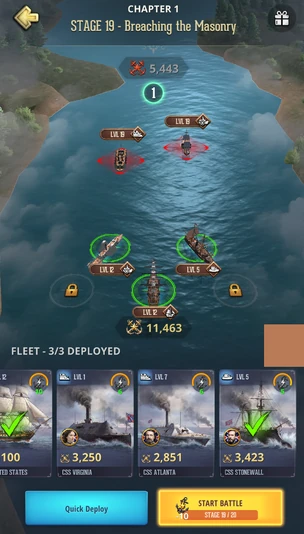
After selecting the fleet, compare your power ratings with the enemy to evaluate your chances of winning, start the battle, and watch it unfold.
Note: While your Fleet can suffer damage and be obliterated during the course of the battle to determine the winner, the Ship HP is automatically and fully restored after each battle regardless of the outcome. Likewise, your Crew will not suffer any losses.
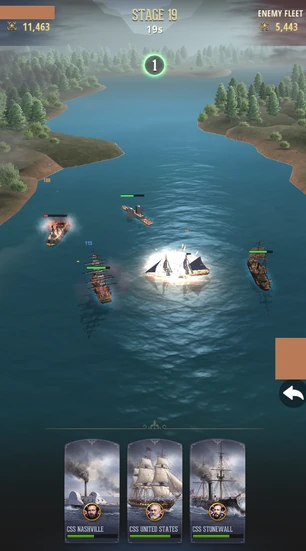
You can retreat from a battle at any time by selecting the Back Arrow icon to the right of the screen; however, fuel spent to launch the attack will not be restored.
Note: Specific campaign stages may limit how many ships you can deploy and which slots are available!
Breaking the Blockade
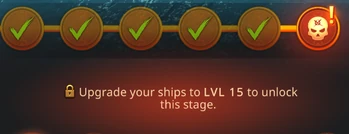
Periodically, your armada will encounter a heavily fortified Flagship boss enemy. These bosses have strict access requirements (e.g., needing a Level 15 ship and a Level 3 Weapon). Fortunately, requirements can be distributed across your fleet! Ship A can meet the level requirement, while Ship B brings the required weapon.
Naval Doctrine & Fleet Tactics
Naval combat is a highly detailed, deterministic engagement. Once you deploy your armada, sit back and watch the battle unfold!
Maneuvers
- Flanking: Iron-hulled tanks (Monitors/Ironclads) charge straight ahead to hold the line of battle, while Artillery ships (Steamers/Frigates) sweep to the edges of the map to secure flanking angles without firing.
- Convergence & Combat: Ships close into their optimal firing ranges to unleash devastating broadsides. Tanks will orbit in the thick of the fight. Artillery will kite at max range to pound the enemy from afar.
- Dynamic Retreats: Should an enemy vessel breach their perimeter, Artillery ships will dynamically retreat, falling back behind the nearest allied Tank to use them as a shield!
Naval Class Advantages
- Steamer crushes Ironclad
- Ironclad dominates Monitor
- Monitor obliterates Frigate
- Frigate snipes Steamer
Doubloons, Blueprints and Ship XP!
To build a world-class armada and keep your vessels in fighting shape, you will need to stockpile brand-new naval resources introduced specifically for this campaign. Mastering the economy of the seas is just as critical as your combat tactics.
Doubloons
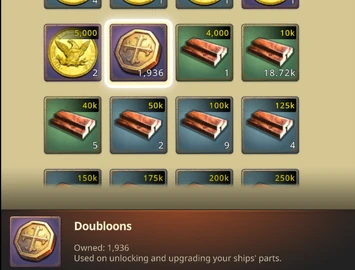
Doubloons are a special item currency used for paying the cost of unlocking and upgrading Ship Components. To check the total of the Doubloons you currently have, navigate to Items > Resources and find the item there.
Blueprints
Each ship has its own special Blueprints. Blueprints are used similarly to Commander Talents, where you must collect a required amount of corresponding Blueprints to unlock the Ship in the main Ships screen, and later continue to gather them to upgrade the Ship’s Components.
Blueprints can be gathered from Naval Battles Stage Rewards, Boss Fights, Chest of Spoils, and the Shop.
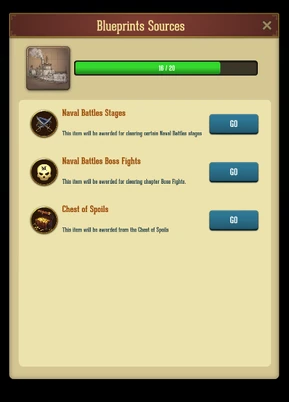
You can receive a Blueprint as an item, which will be counted directly to your balance in the Naval Battles screen and shown in your Items > Special tab.
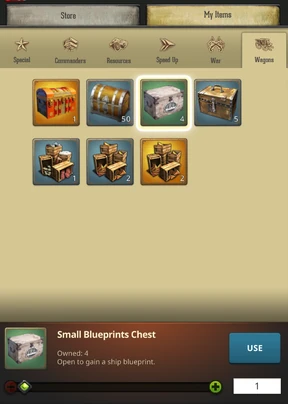
However, if you obtain Blueprints Chests of any size, you must first open them in your Items > Wagons in order to reveal specific Blueprints.
Ship XP
Ship XP bundles are used to upgrade the Level of your Ships. They are stored in your Items > Special tab.
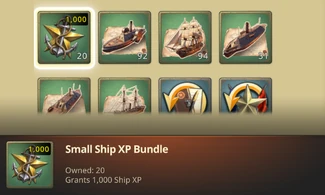
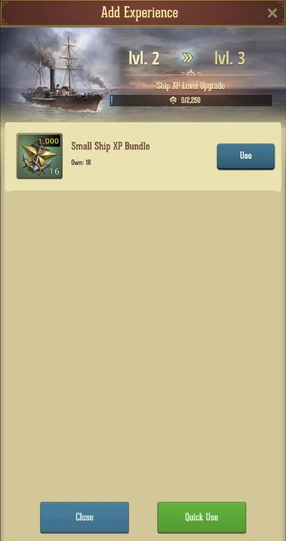
In order to use them, navigate to Naval Battles > Ships > select a Ship you’d like to level up, then tap on the + icon beside the Ship Level to access the Add Experience screen.
Rewards & Leaderboards
Stage Rewards
Beating a stage for the first time grants massive bonus loot. Farming previously beaten stages yields smaller, steady repeat rewards. Tap on the Present icon in the upper right part of the screen to check them out!
Note: Ship Blueprints are received only when beating a stage for the first time!
Chest Of Spoils
Your efforts on the water generate passive income! Based on the highest stage you have cleared, the Chest of Spoils will automatically accumulate Doubloons, Ship XP, and premium items over time. Access the Chest from the Fight screen and claim them at any time, or wait for the accumulation to complete for maximum treasure!
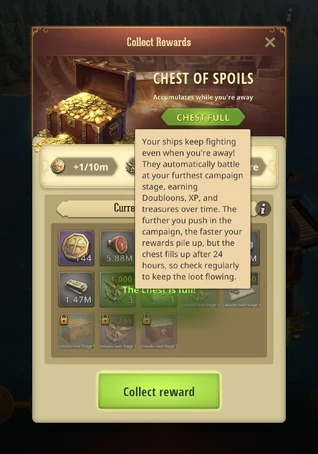
Warning: The chest maxes out at 24 hours of loot. Log in daily to claim it so your progress never stalls!
Leaderboards
Prove your Admiralty to your entire State across two permanent, real-time leaderboards!
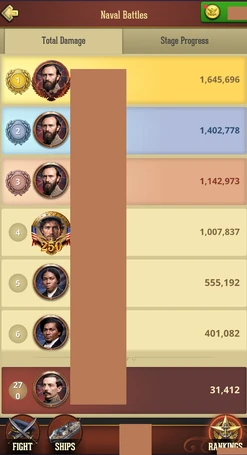
- Total Damage: Tracks your cumulative, lifetime damage dealt across every single Naval Battle. (Farming harder stages yields higher enemy HP pools, meaning more damage to claim!)
- Stage Progress: Ranks players strictly by the highest Campaign Stage they have successfully cleared.
Tips for Success
- Master the Matchups: Do not just deploy your highest-level ships blindly. If a Boss stage is filled with Ironclads, deploy your Steamers to gain that massive +40% damage advantage!
- Rotate Your Fleet: Because deploying costs Fuel (which regenerates over time), leveling up a diverse fleet allows you to keep pushing the campaign while your main vessels recharge.
- Prioritize the Keel: In later stages, enemy Critical Hits will wipe out your fleet. Upgrading your Keel increases your Stability, which acts as a hard counter to enemy crit multipliers.
- Distribute Boss Requirements: Stuck on a Boss gate? Remember that you don't need one "super ship" to meet all the requirements. Spread the required upgrades across multiple ships in your formation to unlock the stage faster.
- Never Let the Chest Cap: Chest of Spoils is your best source of passive Doubloons. Collect it before the 24-hour timer fills!
The waters are yours to conquer. Upgrade your fleet, perfect your formations, and unleash devastating broadsides!
Was this article helpful?
That’s Great!
Thank you for your feedback
Sorry! We couldn't be helpful
Thank you for your feedback
Feedback sent
We appreciate your effort and will try to fix the article