Advisors
Never fall behind again!
Step into the next era of gameplay with the all-new Advisor system: a revolutionary feature designed to give you the ultimate tactical advantage! You now have a personal 24/7 elite command team at your fingertips, designed to keep your Town thriving and your enemies guessing while you are away from the game. No more stressing about lost time, your Advisors handle the daily grind so you can log back in to continuous progress and peace of mind.
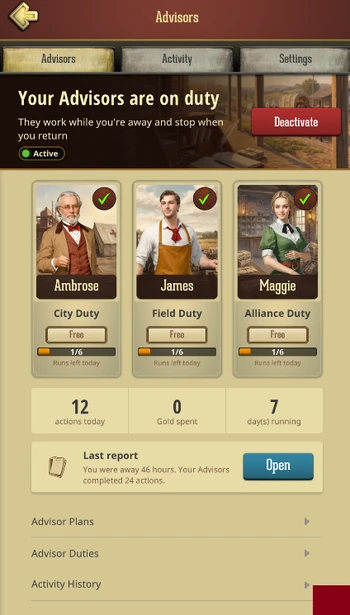
Operating seamlessly in the background, your Advisors take the wheel the second you log out. They handle the daily grind so you don't have to. The moment you return, they stand down and deliver a highly detailed Away Report, showcasing all the loot gathered and upgrades finished on your behalf.
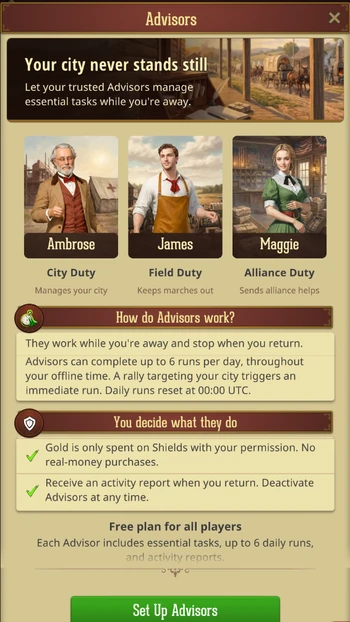
You have access to three specialized experts: the City, Field, and Alliance Advisors. Start for free with the baseline tools, or supercharge your growth by upgrading to premium tiers for lightning-fast execution times, maximum daily limits, and advanced automated tactics.
Getting Started: Setup & Permissions
Ready to give orders? Access your new offline staff via the Advisors button on your Town screen.
Advisor Activation
You have full control over your staff. Activate one, two, or all three Advisors simultaneously! All three operate on a unified schedule, working in perfect harmony so they never fight each other over your available troops or resources.
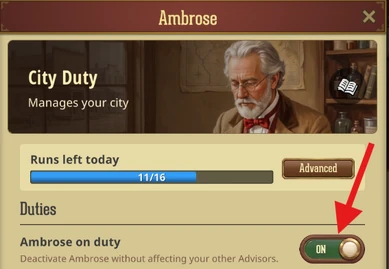
You can easily Activate or Deactivate all Advisors from the Advisors and Settings tabs. Need to bench a specific expert? Just deactivate an individual Advisor by accessing their unique settings directly on the Advisors screen.
Setting Up Permissions
For finer control, issue Standing Orders to dictate exactly how your Advisors behave. Examples include:
- City: Keep shield up.
- Field: Target specific resources only (Food, Wood, Stone, Iron, Silver, Gold), set maximum Partisan hunt levels, and force the Advisor to keep one march at home.
- Alliance: Set maximum Partisan Fort rally levels.
Deactivating all Advisors puts them on standby until you reactivate them. Don't worry, all your settings will be securely saved, and active plans will continue in the background.
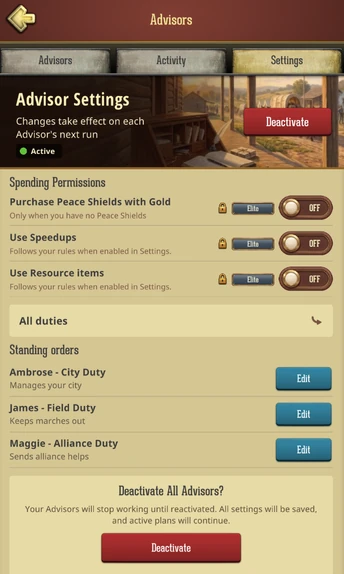
To access general Settings for your team, navigate to the Settings tab. To tweak individual Standing Orders, tap the Edit button or select your desired Advisor in the Advisors tab.
The Three Advisors
You can subscribe to each Advisor independently to perfectly match your playstyle. Upgrading is a pure power boost: higher tiers automatically carry over every single ability from the lower tiers!
City Duty: Ambrose - The Master Engineer
Focused on internal Town progression and ironclad defense.
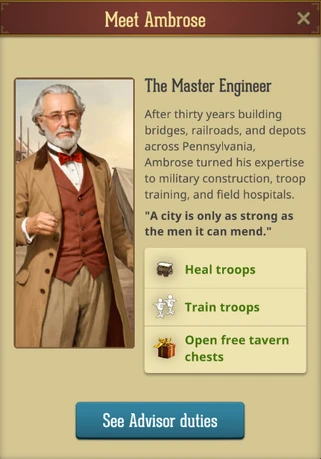
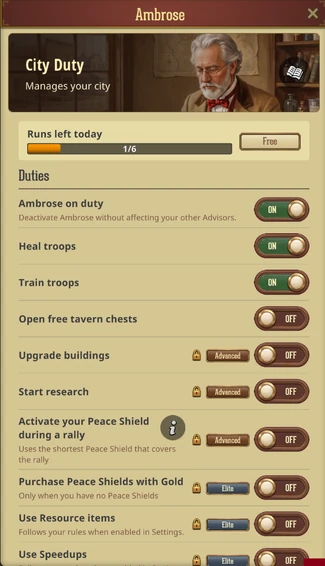
- Free: Heals troops, trains troops, and opens free Tavern chests.
- Advanced: Upgrades buildings, starts research, and can automatically raise an already-owned peace shield if you are rallied.
- Elite: Can purchase a shield with Gold (if permitted) and can use Speedups and resource/Gold items (if permitted)
.
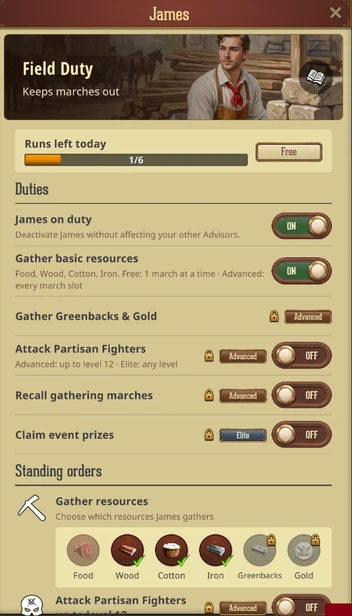
Field Duty: James - The Pathfinder
Focused on relentless resource collection and Partisan hunting out on the World Map.
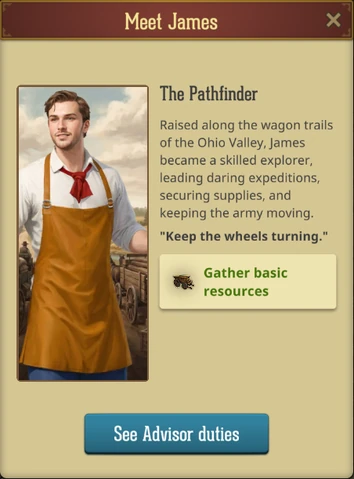
- Free: Gathers Food, Wood, Cotton, and Iron (limited to dispatching one march at a time).
- Advanced: Utilizes all free march slots, gathers Greenbacks and Gold, hunts Partisans up to Level 12, and can recall gatherers.
- Elite: Hunts Partisans above Level 12 and automatically claims event prizes.
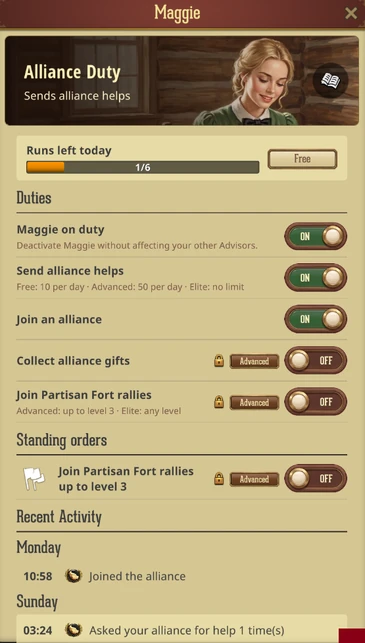
Alliance Duty: Maggie - The Correspondent
Focused on flawless teamwork, Alliance helps, and Partisan Fort combat.
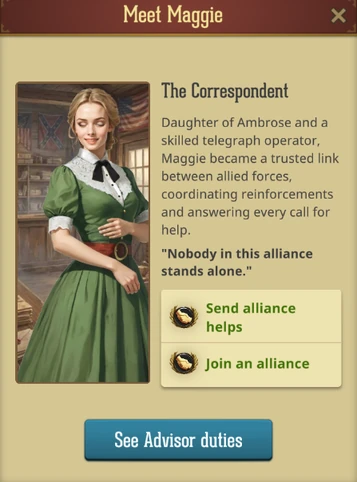
- Free: Sends Alliance Helps (up to 10 per day) and joins an Alliance if you are without one.
- Advanced: Collects Alliance Gifts, sends up to 50 Helps per day, and joins Partisan Forts rallies up to Level 3
- Elite: Unlimited Alliance Helps, and can join rallies on Partisan Forts of any level.
Plans, Run Schedules & Limits
Your Advisors are highly efficient. Instead of running continuously, they wake up at specific intervals (their "Schedule") dictated by the highest subscription plan active on your account. When they wake up, they execute all available duties in a single, coordinated sweep.
Daily run caps reset at midnight UTC.
- Free Plan: Wakes up every 3 hours (Max 6 runs per day).
- Advanced Plan: Wakes up every 1 hour (Max 16 runs per day).
- Elite Plan: Wakes up every 30 minutes (Max 40 runs per day).
- The Supreme Plan: The Ultimate Plan instantly unlocks Elite Plans for ALL three Advisors. They will wake up every 15 minutes with no daily cap.
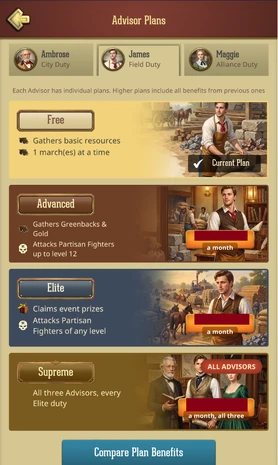
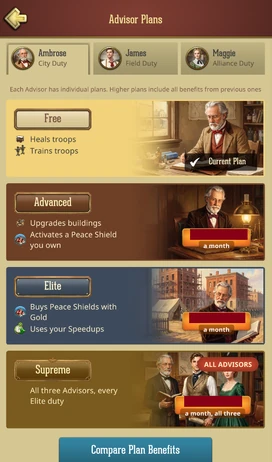
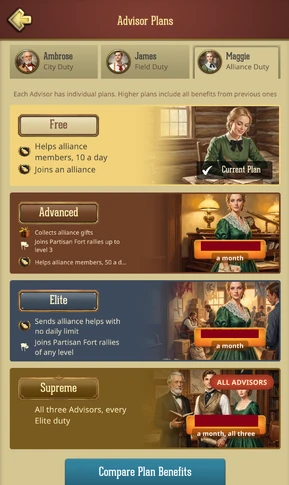
Tap the Compare Plan Benefits button in-game for a comprehensive overview of the features you unlock!
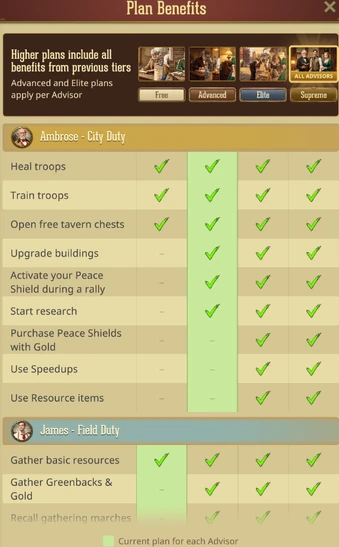
Note: Because all subscriptions are securely handled natively through your App Store, if you want to buy the Supreme Plan, you must cancel your individual Advanced/Elite plans first. The Supreme Plan activates immediately, while your canceled plans simply run out their remaining time.
The Away Report
When you log back into the game, your Advisors button in the Town view will display a "preparing" state. Moments later, your ’’While you were away’’ Report will be ready!
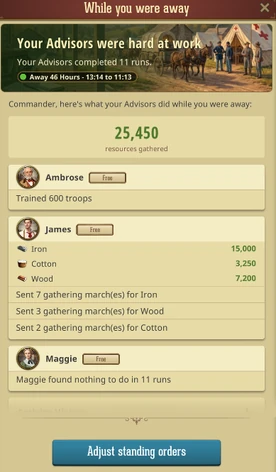
This summary breaks down the exact duration of your absence, which Advisors were on duty, and a straightforward recap of everything they accomplished.
Activity History
Want the granular details? The activity of your Advisors can be reviewed up to a week in the past! You can access the full Activity History from your Advisors tab, or straight from the Away Report itself.
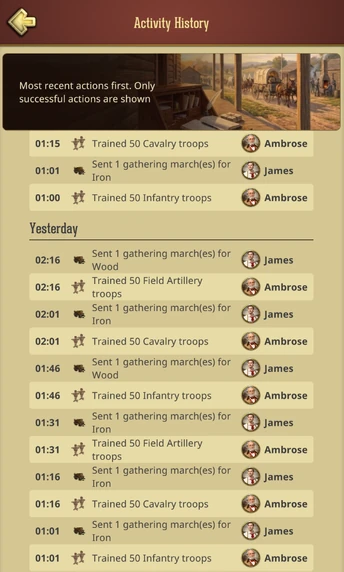
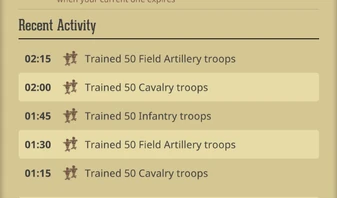
When accessing individual Advisors, a quick recent recap of their specific actions can be reviewed there as well.
Intel & Crucials (Read Before Using!)
- Defense Protects Against RALLIES, not solo attacks: If you are offline, Ambrose will trigger an emergency run (completely bypassing his normal schedule and daily caps) to pop a shield if an enemy initiates a Rally against your Town. It does not guarantee protection from fast, single-march attacks!
- The Partisans Rule: James plays to win. He will only initiate a Partisan hunt if your available army power is greater than the Partisan’s power. If he is skipping Partisans, your troops aren't strong enough to guarantee a safe victory.
- Strict Item Limits: Your stash is safe. Even with permissions turned ON, Ambrose will only use Resource items, Speedups, and Gold when strictly necessary. He will never open your rare items or exclusive chests.
- Rally Travel Times: Maggie is a tactical expert. She will only join a Partisan Fort rally if your troops can physically march there before the rally departs.
- No PvP Actions: Your Advisors are peaceful caretakers focused on growth. They will never initiate attacks against other players, and they cannot join PvP rallies.
- Expiry: On the Free Plan, your Advisors will automatically shut down 30 days after your last real login, until you access the game again. Paid Plans enjoy uninterrupted VIP service, your Advisors will continue to run for as long as your subscription is active, even if you take a long break!
Was this article helpful?
That’s Great!
Thank you for your feedback
Sorry! We couldn't be helpful
Thank you for your feedback
Feedback sent
We appreciate your effort and will try to fix the article