Alliances
Joining an Alliance is one of the most important decisions you will make in the game. Being part of an active Alliance provides massive boosts to your progression, protects you from enemy attacks, and unlocks massive cooperative features. You can access the Alliance hub by tapping the Alliance tab in the lower-right corner of your screen.
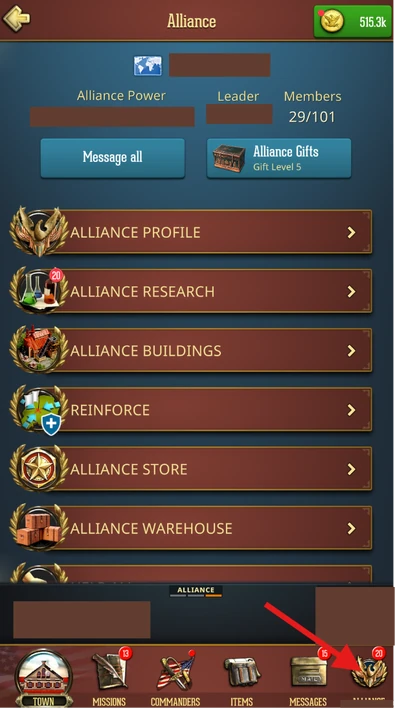
Joining or Creating an Alliance
If you are not yet in an Alliance, tapping the tab will open the Manage Alliance screen.
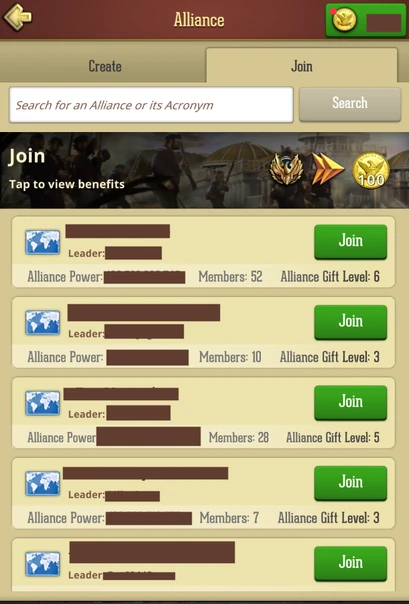
Joining an Alliance When searching for a group, you will only see Alliances located within your current State. Keep an eye on their recruitment status:
- Join: You can join instantly by tapping Join.
- Apply: You must submit an application and wait for a Rank 4 (R4) or Rank 5 (R5/Leader) member to accept you.
- Invite Only: These Alliances are hidden from search results. You can only join if an R4 or R5 member sends you a direct invitation.
- Bonus: The very first time you join an Alliance, you are instantly rewarded with 100 Gold!
Creating an Alliance
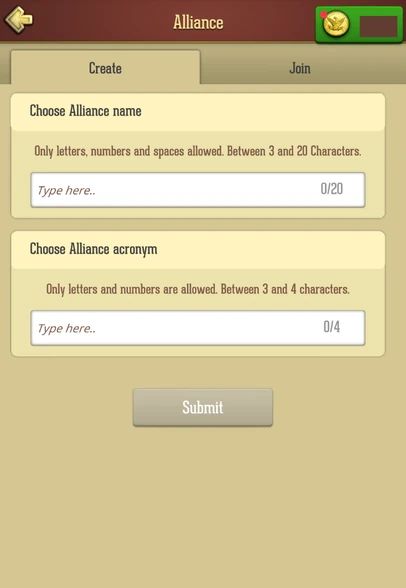
If you prefer to lead, you can tap Create. You will need to choose a unique Alliance Name and a short Acronym (tag) that will appear next to your members' names on the map.
The Alliance Dashboard
Once inside an Alliance, your hub is broken down into several key management sections.
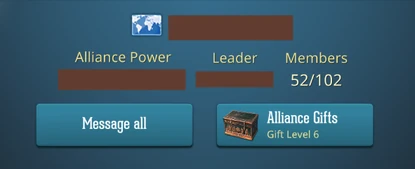
On top of the screen you can check your total Alliance Power, identify the Leader, collect Alliance Gifts, and see the member count. You can also send a direct message to all your Alliance members.
Alliance Profile
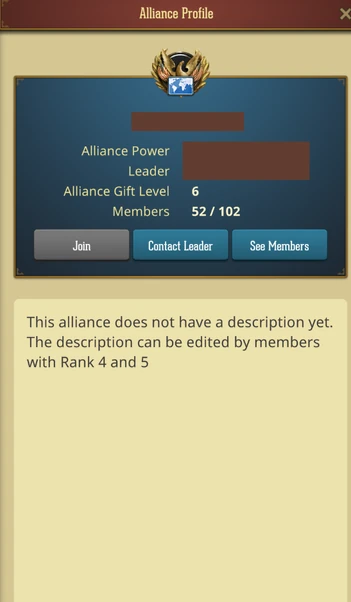
This is the main overview of your group. Here you can check your Alliance information, see the members list, and directly reach out to your Alliance Leader.
Members
View your entire Alliance members, sort players by Rank or total Power, or message any member directly.
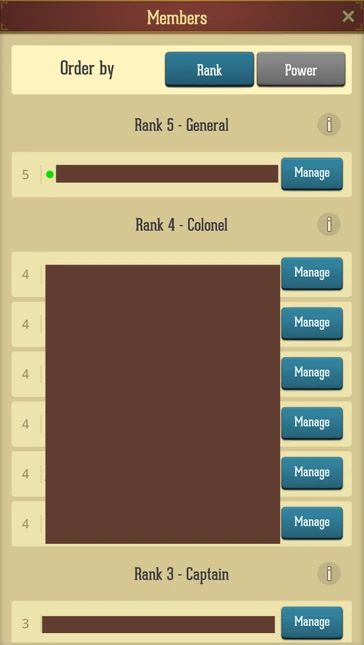
- Ranks: Players are assigned Ranks 1 through 5. You can check the specific permissions of each rank by tapping the "i" (information) button.
- Activity: Green dot marker is displayed before each Alliance member currently online, while Leadership (Ranks 4 and 5) also have access to see the "last online" status of every member.
Help All
Whenever you or an ally starts a building upgrade, research project, or healing timer, a help request is sent to the Alliance. Tapping the "Help All" instantly reduces those timers for your allies.
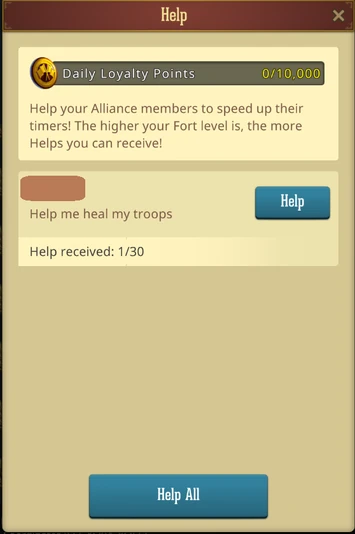
- The higher your Fort level, the more helps you can receive on your own timers.
- Every time you help an ally, you earn 100 Loyalty Points. You can earn a maximum of 10,000 Loyalty Points per day just by tapping this button!
Rally
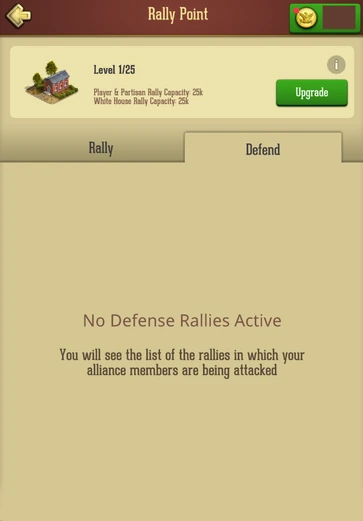
This section acts as a live war room and opens your Rally Point directly. You can view and join ongoing cooperative marches:
- War Rallies: Offensive attacks initiated by your allies against enemy players or Partisan Forts.
- Defense Rallies: Emergency calls where an ally is currently being targeted by a massive enemy attack.
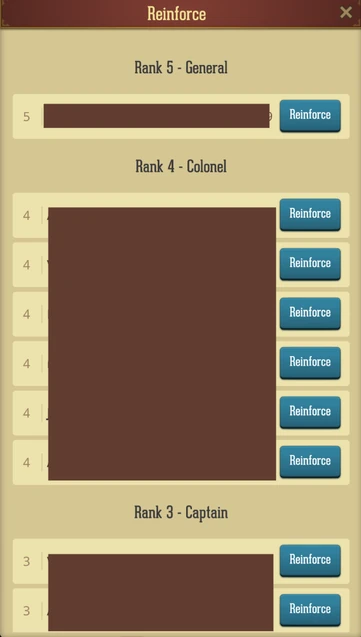
Reinforce
Displays a list of members whose towns you can reinforce with your own troops.
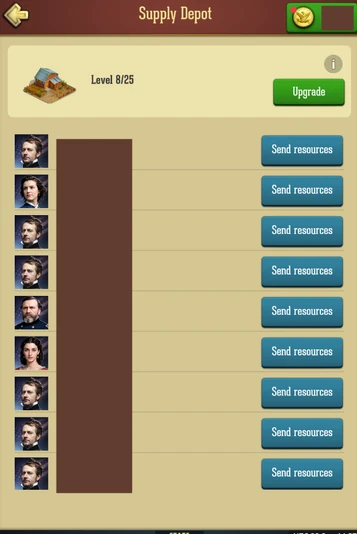
Send Resources
Opens your Supply Depot and displays a list of members to whom you can send resources via Trade Marches.
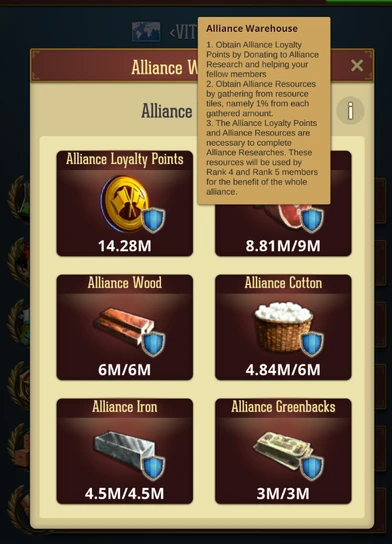
Alliance Warehouse
This tracks the collective wealth of the Alliance. It holds two main currencies:
- Alliance Loyalty Points: Generated collectively when members donate to Alliance Research or use the "Help" feature.
- Alliance Resources: Generated automatically when Alliance members gather from Resource Tiles on the State Map. Both are required to fund Alliance Research.
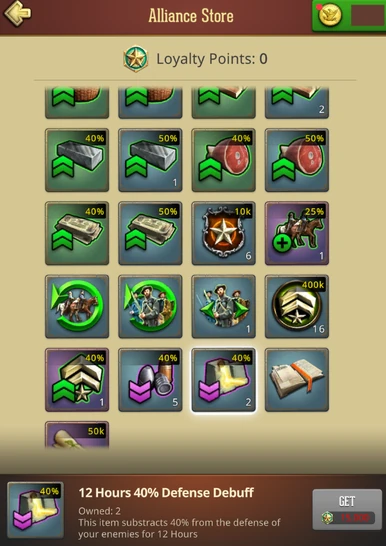
Alliance Store
This is where you spend the personal Loyalty Points you have earned from helping and donating. The store is stocked with highly valuable items, including Peace Shields, Teleports, and Speed-ups, making it one of the most reliable free-to-play progression tools in the game.
Alliance Research
Your Alliance features its own dedicated technology tree that provides massive, permanent buffs to every member. Rather than benefiting just one player, progressing this tree strengthens the entire group. The research is divided into three distinct branches:
- Economy: Focuses on boosting collective resource production, map gathering speeds, and overall Town development efficiency.
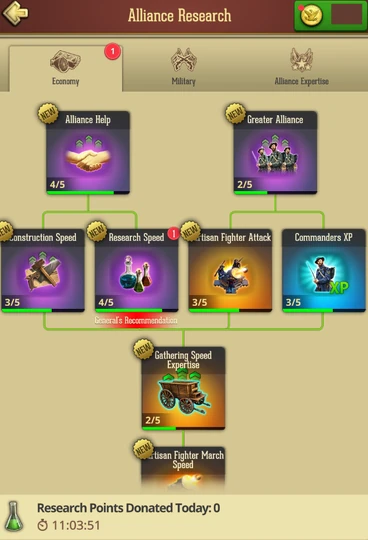
- Military: Enhances the combat capabilities of the entire alliance, providing baseline stat boosts to all troop types and increasing crucial mechanics like Rally capacity.
- Alliance Expertise: A specialized tree that unlocks powerful but temporary abilities. Once researched, Alliance leadership can manually activate these Expertise skills during critical moments (like a massive cross-state war or a territory push) to grant temporary, game-changing boosts to all members.
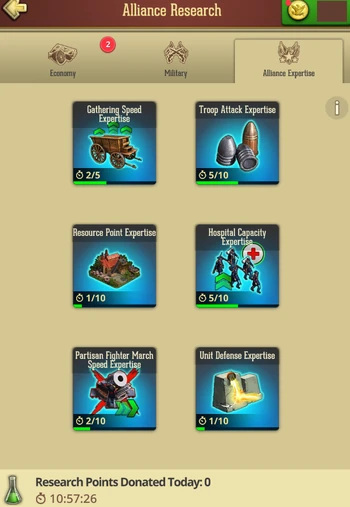
In order to unlock expertise bonuses, you must research the corresponding alliance research. Upgrading the level of the research, upgrades the expertise. Once you have unlocked an expertise, you can donate to fill its donations bar, same as you would donate for an alliance research. Once the bar is full, the expertise can be activated and its bonus granted to all players who are in the alliance at that moment.
Once an expertise expires, it enters a cooldown period. It can be reactivated once you fill a donations bar again.
How to Progress Alliance Research
- Setting a Focus: With so many options available, Rank 4 and Rank 5 members have the authority to select and highlight a specific "Recommended" research focus. This ensures the entire alliance pools their efforts into one crucial upgrade at a time.
- The Donation System: To progress a research, members must manually donate resources toward it.
- The Rewards: Donating is a highly rewarding, win-win system. Every time you donate, you help progress the alliance’s technology while simultaneously earning personal Loyalty Points to spend in the Alliance Store. Additionally, each individual donation generates overall Alliance Loyalty Points for the Alliance Warehouse, which the leadership requires to finalize and unlock these advanced research projects.