State Map Tiles
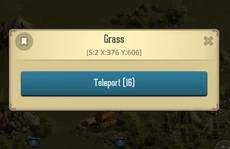
When you open the State Map and scroll around, the environment blends seamlessly together to look like a natural landscape. However, the game actually treats this entire map as a series of invisible tiles. Everywhere you tap represents a specific "Tile" with its own unique coordinates.
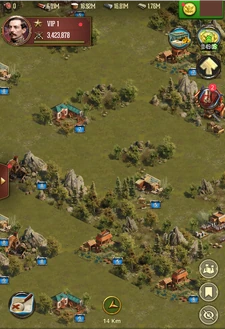
You can teleport your Fort to almost any empty spot on the map. However, you cannot teleport onto tiles that are already occupied by interactive targets, such as Resource Tiles, Partisans, Partisan Forts, or the Towns of other players.
Tile Types
While most of the map is open terrain for you to relocate your Fort, your primary focus will be on the interactive tiles scattered across the landscape. These include:
- Player Towns
- Resource Tiles
- Partisan Tiles
- Partisan Fort Tiles
- Warzone
- White House
- Protected Forts
Warzone
The Warzone is a specific, deep-forest area located at the very center of the State Map. It surrounds the state's main building, the White House.
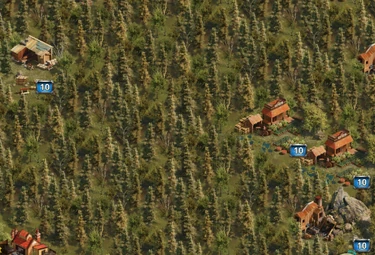
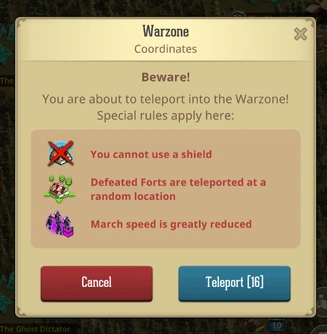
Warzone tiles, come with their own set of rules that you will receive a warning about while you have your Peace Shield active.
The Warzone rules, outside special events, are the following:
- You cannot use a shield (this will also remove any currently active Peace Shield of your Fort)
- Defeated Forts are teleported at a random location (once you're defeated within the Warzone Tiles, your Fort will be teleported to a random tile outside of the Warzone.
- March Speed is greatly reduced (even if your Fort is not within the Warzone, but your Troops will pass over some of those tiles and this debuff will affect your march)
Resource Tiles
You can gather resources from tiles scattered across the State Map. These tiles range from Level 1 to 10, with higher levels holding larger payouts. Once depleted, a tile will disappear, and new ones will randomly spawn to repopulate the map over time.
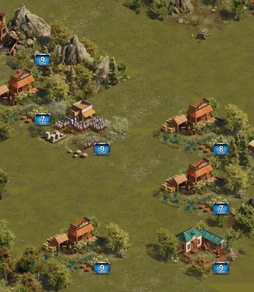
- Finding Tiles: You can look around the State map manually or tap the Magnifying Glass to instantly search for a specific resource type and level.
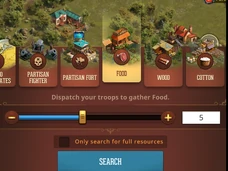
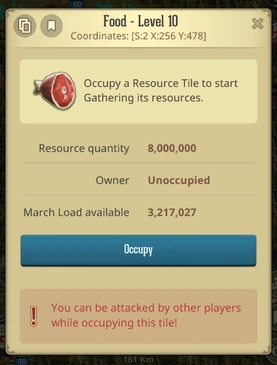
- How to Gather: Tap your target tile, select Occupy, and assign your Commander and troops.
- Collecting: Once your march finishes gathering and returns to Town, the payload is added directly to your Resource Balance.
PRO TIP: Send Siege troops! They boast the highest resource carrying capacity of any troop type.
WARNING: Gathering Risks Ahead!
Be careful, as high-level resource tiles come with added danger. Your troops can be attacked by other players while occupying:
- Level 10 Food, Wood, Cotton, Iron, and Greenback tiles.
- Level 9 and 10 Gold tiles.
Partisans
Partisans offer a core PvE (Player vs. Environment) experience. By spending Stamina, you can attack these targets on the map to earn valuable loot. Partisans range from Level 1 to 30, with the rewards scaling up at each higher level.
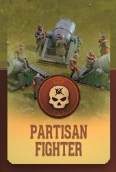
Combat against a Partisan resolves instantly the moment your troops arrive at the target's coordinates. Because these targets are first-come, first-served, if another Commander's march reaches the target before yours, your troops will arrive at the empty coordinates and simply return to your Fort.
- Finding Partisans: You can look around the State map manually or tap the Magnifying Glass to instantly search for a specific Partisan level.
Partisan Forts
Partisan Forts are alliance-based PvE targets that require a coordinated Rally to defeat. Ranging from Level 1 to 6, higher-level Forts yield significantly better rewards. During certain special events, players can even manually activate these targets on the map.
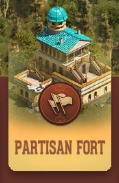
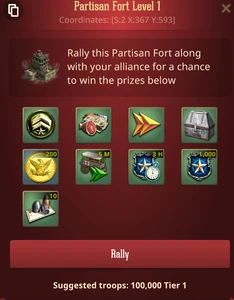
Like standard Partisans, Fort battles resolve instantly upon the rallied troops' arrival. If a rival Commander's rally reaches the Fort first, your rallied march will hit the empty coordinates and automatically return home. Fortunately, if your rally misses the target or fails to defeat the Fort, all participants will have their spent Stamina fully refunded.
- Finding Partisan Forts: You can look around the State map manually or tap the Magnifying Glass to instantly search for a specific Partisan Fort level.
Was this article helpful?
That’s Great!
Thank you for your feedback
Sorry! We couldn't be helpful
Thank you for your feedback
Feedback sent
We appreciate your effort and will try to fix the article